


Recently I was deploying VMware vSphere Foundation 9.1.1 for a customer, and I ran into an issue that kept me busy for quite a while. The VCF Operations deployment kept failing, even though everything looked fine on paper. Since I couldn’t find the answer anywhere, I decided to make it my first blog post. Hopefully it saves someone else a few hours.
The setup #
The customer environment had a firewall between the management components and the ESX hosts. Before starting the deployment, we went through the Broadcom Ports and Protocols list and made sure all required ports were opened on the firewall.
I also did all the usual checks:
- All FQDNs were in lower case
- Forward and reverse DNS lookups were working for every component
- NTP was in sync
- The ESX hosts were reachable from the VCF Installer
So far so good.
The problem #
The deployment went smoothly until it reached the VCF Operations step. And that’s where it got stuck.

What made it really strange was that the VCF Management Services appliances had been deployed successfully just one step earlier. So the network path to the hosts was clearly working, at least for those appliances. Why would VCF Operations be any different?
On every retry, VCF Installer tried to deploy the appliance to one host after the other in the cluster, and it failed on each of them. In vCenter I could see the “Deploy OVF template” tasks starting and eventually ending with this message:
The task was cancelled by a user
Of course, nobody cancelled anything. In VCF Installer, the error looked like this:
2026-09-17T15:55:37.370Z ERROR vcf_dm 2828 [sddcm@4413 traceId="6aac09f2de376a76cfc919f7e54b9f27" spanId="ac52" threadId="dm-exec-1702" class="c.v.e.s.c.c.e.l.LocalizableRuntimeExceptionLogger" method="log" line="38"] [6EQ6IV] PUBLIC_FLEET_LCM_TASK_FAILED The Fleet lifecycle {0} task with ID 01a0b006-de33-75f3-8bec-e9b1da2db325 failed. Internal errors: An unexpected error occurred in step deploy_ops_node_task_ref. Reference Code: 393D77CF. Please contact support with this reference code. Detail: Failed to deploy VCF Operations node. Errors: 'Failed to deploy VCF Operations node. VMware OVF Tool failed with error: 'Failed to send file [disk-0.vmdk] to the host [esx.domain.local].The same error repeated itself for every host in the cluster.
What I checked #
The error says OVF Tool can’t send the disk file to the ESX host. That usually means something is blocking port 443 to the host, so the firewall was my first suspect.
I went through the connections between the newly deployed VCF appliances and the ESX hosts:
- VCF Management Services Fleet components
- VCF Management Services Instance components
- VCF Management Services VCF Services Runtime
Because the error specifically mentions FLEET_LCM_TASK, I focused on the VCF Management Services Fleet appliance. I checked the ports from and to that appliance, then checked them again, and then a third time. Everything was open.
Next I wanted to rule out the OVA file itself. I downloaded the VCF Operations OVA from VCF Installer and compared its checksum with the one on the Broadcom portal. They matched. Then I deployed the VCF Operations appliance manually in vCenter using that same OVA, and it deployed without any errors. So the OVA file was fine, and the OVF deployment process in vCenter was working as it should.
I retried the deployment more times than I’d like to admit. Same result every time.
The solution #
After a lot of retries and testing, I suddenly remembered something. During the deployment, VCF Installer asks you for an IP range of 30 IP addresses for additional VCF services. Those addresses weren’t on my radar at all.
So I tested port 443 from one of the IP addresses in that range to an ESX host. It failed.
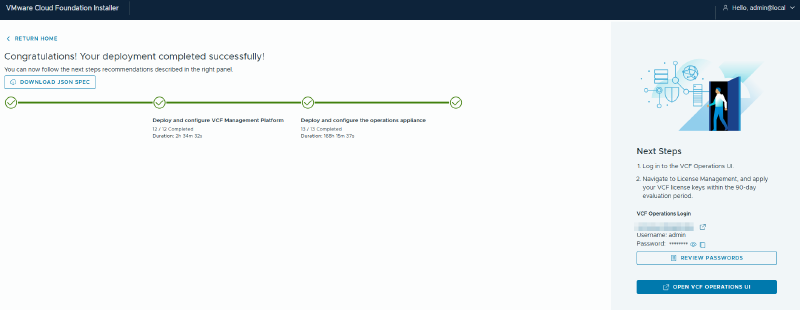
I asked the customer to open port 443 from that IP range to the ESX hosts, retried the deployment, and this time VCF Operations deployed without any problems!
Takeaway #
If your VCF Operations deployment fails with Failed to send file [disk-0.vmdk] to the host and you’re sure all the documented ports are open, check the IP range you provided for the additional VCF services. Those addresses need port 443 access to the ESX hosts.
This connection is not listed on ports.broadcom.com at the time of writing, which is why I’m sharing my experience here. I hope it helps anyone who runs into the same issue.
A. Kadir Akbel